10 min read
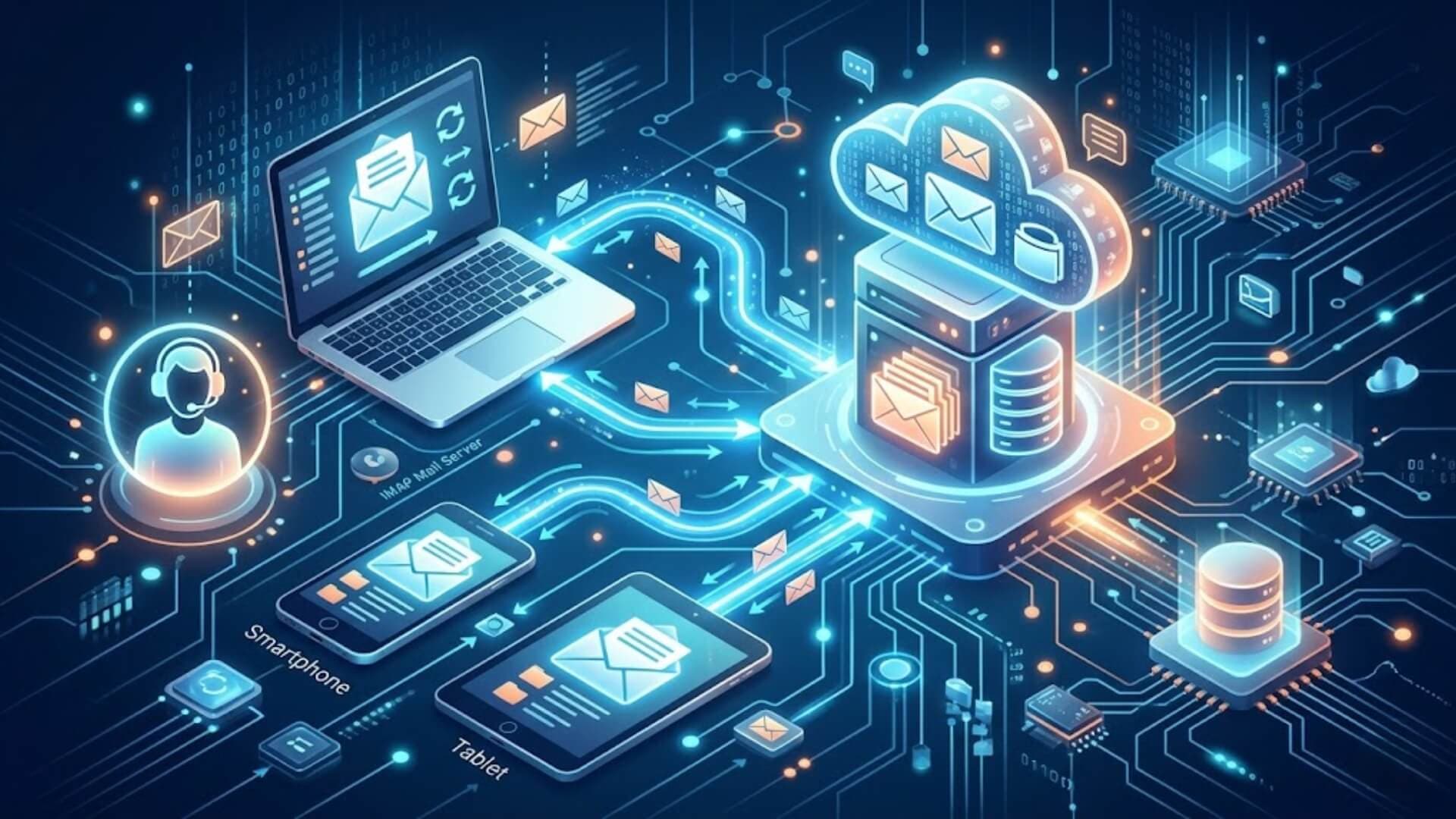
Email remains one of the most important tools for communication in both personal and business environments. Behind every inbox is a set of protocols that manage how messages are sent, received, and stored. One of the most common of these protocols is IMAP.
So, what is IMAP, and why do most modern email services rely on it?This article explains how IMAP works, its strengths and limitations, and the situations where it makes the most sense to use it.
What is IMAP?Link to heading

Internet Message Access Protocol (IMAP) is a protocol used to receive and manage email messages. Email protocols provide a common set of rules that allow email clients and mail servers to communicate with each other, even when they run on different systems, platforms, or software.
One of the main advantages of IMAP is that it lets users access the same mailbox from multiple devices. Instead of downloading emails to a single device, IMAP keeps messages on the mail server and synchronizes them with connected email clients. As a result, users can view and manage their emails from anywhere while keeping their inbox consistent across devices.
>>> Learn more: What is phishing? Tips to identify and prevent online scams
Brief history of IMAPLink to heading
To fully understand what is IMAP, it helps to look at how the protocol evolved. IMAP was first developed in the early 1980s as an alternative to the Post Office Protocol (POP). At the time, POP was the standard method for retrieving email, but it was designed primarily for downloading messages to one device. Once downloaded, emails were often removed from the server.
IMAP took a different approach. It was created to keep emails stored on the server while allowing users to access and synchronize their mailboxes across multiple devices. This design made email management more flexible and practical, especially as internet access became more widespread.
The introduction of IMAP changed how people used email. Users could check the same inbox from different locations and devices while seeing the same folders, messages, and updates everywhere. Over time, the protocol has been improved through several updates, making it one of the most widely used solutions for modern email access.
How does IMAP work?Link to heading

Understanding what is IMAP also requires knowing how the protocol handles email communication. As an incoming mail protocol, IMAP acts as a bridge between an email server and an email client. When a user opens an email through IMAP, the message is accessed directly from the server instead of being permanently downloaded and stored on the local device.
This allows users to view their emails from laptops, smartphones, tablets, and other devices while keeping everything synchronized.
The IMAP process typically works as follows:
- The user signs in to an email application such as Microsoft Outlook, Apple Mail, or Thunderbird.
- The email client connects to the mail server using the IMAP protocol through a specific network port.
- The client retrieves and displays email headers, including sender information, subject lines, and timestamps.
- When the user opens a message, the email content is loaded from the server.
- Attachments are usually downloaded only when the user chooses to open them.
- Since emails remain on the server, any changes made on one device, such as reading, moving, or deleting a message, are reflected across all connected devices.
- Messages stay stored on the server unless the user removes them.
Because IMAP accesses emails directly from the server and synchronizes mailbox changes in real time, it is often faster and more convenient for managing email across multiple devices than older retrieval methods such as POP.
IMAP portsLink to heading
Another important part of understanding what is IMAP is learning how IMAP connections are established. IMAP uses ports to create communication between an email client and a mail server. Each internet-based service requires a specific port number, and IMAP commonly uses two ports.
- Port 143 is the default IMAP port. It runs without encryption, which means data sent through it is not protected. This makes it vulnerable to interception and attacks.
- Port 993 is the secure IMAP port. It uses TLS/SSL encryption to protect your connection, making it the right choice when security matters.
Port 143 should never be left open to the public internet. Without encryption, it gives attackers an easy target. Always use port 993 for any IMAP connection.
IMAP key featuresLink to heading

Understanding what is IMAP becomes easier when you look at the features that make it one of the most widely used email protocols today.
IMAP comes with a solid set of features that make it the go-to protocol for modern email:
- Multiple mailboxes: Manage several mailboxes from one client and move messages between them.
- Folder organization: Create folders and categories to keep your inbox structured.
- Synchronization: Any change you make syncs across all your devices in real time.
- Remote mail access: Read and manage your email from anywhere without removing messages from the server.
- Message flags: Mark messages as read, unread, or flagged. The status updates on every connected device.
- Header preview: View the sender, subject, and date before downloading the full message.
- Partial download: Download only part of a message, which saves bandwidth on slower connections.
- Search: Search through email content directly on the server without downloading everything first.
- Message hierarchy: Organize emails by priority or importance using a custom folder structure.
These features help explain what is IMAP and why it remains the preferred choice for users who need access to the same mailbox across multiple devices.
How to use an IMAP serverLink to heading
If you use Gmail, Outlook, or Yahoo Mail, you are already using IMAP. These services configure new email accounts as IMAP by default, so any change you make, whether on your phone, laptop, or browser, syncs across every device automatically.
In most cases, setup requires no manual input. The email client handles everything. If an account fails to configure correctly, contact your email provider's support team. In some cases, you may need to enter the IMAP server address, port number, and encryption settings manually.
If you are wondering what is IMAP in a real-world environment, these email services provide some of the most common examples of how the protocol works in daily use.
Advantages of IMAPLink to heading

IMAP offers several practical benefits for users who need flexible and consistent email access.
- Access from anywhere: IMAP lets you open your mailbox from almost any location and from multiple devices, including phones, laptops, tablets, and desktop computers. Since emails remain on the server, your inbox stays updated across all devices.
- Selective message downloading: IMAP does not download every full message at once. In most cases, the email client first loads basic message details, such as the sender, subject line, and date. The full message is downloaded only when you open it.
- Control over attachments: IMAP usually does not download attachments automatically. It also helps reduce bandwidth usage and speeds up email browsing, especially when messages include large documents, images, or other files.
- Offline usability: IMAP can still support offline use in many email clients. If some emails have already been downloaded, you can read them without an internet connection. You may also move, delete, or mark messages while offline. Once the device reconnects, those changes sync with the mail server and appear on your other devices.
Many of these benefits are the reason people searching for what is IMAP often choose it over older email retrieval protocols such as POP3.
Disadvantages of IMAPLink to heading
Although IMAP is useful for modern email access, it also has some limitations.
- Storage dependency: IMAP stores emails on the mail server, so available server space matters. If your email provider offers limited storage, your mailbox can fill up over time. When this happens, you may need to delete old messages, remove large attachments, archive emails, or upgrade to a plan with more storage.
- Offline access limitations: IMAP can work offline, but access may be limited if full messages or attachments have not been downloaded in advance. Some email clients only save headers or partial message content by default. To read complete emails or open attachments without internet access, you may need to configure offline settings or manually download the messages first.
- Server load and speed: IMAP depends on regular communication between the email client and the server. With large mailboxes, many folders, or several connected devices, this constant syncing can increase server load. If the mail server is slow or poorly configured, users may notice delays when opening folders, searching messages, or syncing changes.
- Email management complexity: IMAP can sometimes make email management confusing when different clients handle folders, archives, labels, or deleted messages in different ways.
When evaluating what is IMAP, it is important to consider both its advantages and limitations to determine whether it fits your email usage requirements.
Uses of IMAPLink to heading

Compatibility with other applicationsLink to heading
IMAP works as a bridge between different email clients and servers. Since most people manage more than one email account, IMAP makes it possible to retrieve messages from multiple servers in one place. This is how platforms like Outlook can connect with external email providers and display everything under a single interface.
Access email from multiple devicesLink to heading
IMAP syncs your inbox across every device you use, whether that is a desktop, laptop, tablet, or smartphone. Any action you take on one device, such as reading, replying to, or deleting a message, reflects on all other devices automatically. You can also browse messages without downloading them to each device individually.
Offline accessLink to heading
Newer versions of IMAP, including IMAP4, support both online and offline access. Emails that have already been loaded remain readable without an active internet connection, which is useful in areas with poor or no connectivity.
Security considerationsLink to heading
When learning what is IMAP, it is also important to understand how to use it securely. Although IMAP is widely supported and convenient, following basic security practices helps protect your email account and sensitive information.
- Use encrypted connections: When setting up an IMAP account, always choose a secure connection. Most email providers support SSL/TLS encryption, which protects emails and login credentials while data travels between the email client and the mail server.
- Create strong passwords: Use a unique password that combines letters, numbers, and special characters. Avoid reusing passwords across different accounts. If your email provider supports two-factor authentication (2FA), enable it to add another layer of protection against unauthorized access.
- Stay alert to phishing attacks: Be cautious when opening links, downloading attachments, or responding to messages from unknown senders. Attackers often use phishing emails to steal login credentials or trick users into revealing sensitive information.
- Keep software updated: Regularly update your email client, operating system, and security software. Updates often include security fixes that address known vulnerabilities and help protect your device from new threats.
- Back up important emails: Create regular backups of important messages and attachments. This helps prevent data loss caused by accidental deletion, hardware failure, account issues, or cyberattacks. Many email providers and email clients offer built-in backup or export features to simplify the process.
IMAP vs. POP3: What is the difference?Link to heading

To fully understand what is IMAP, it helps to compare it with POP3, another protocol used to retrieve email. Although both protocols allow users to access incoming messages, they manage email storage and synchronization in very different ways. IMAP keeps messages on the mail server and syncs changes across devices, while POP3 downloads messages to a single device and often removes them from the server.
Here is a direct comparison:
|
Feature |
IMAP |
POP3 |
|
Email storage |
Server |
Local device |
|
Multi-device sync |
Yes |
No |
|
Offline access |
Limited |
Full |
|
Folder management |
Yes |
No |
|
Best for |
Multiple devices |
Single-device users |
The core difference comes down to where your email lives. With IMAP, your messages stay on the server, so every device sees the same inbox. With POP3, messages are pulled to one device and stored locally, which means other devices cannot access them.
When to choose IMAPLink to heading
For most people, IMAP is the better option. Understanding what is IMAP also means understanding when it provides the greatest value. IMAP works best when:
- You check email on more than one device, such as a phone, laptop, and desktop
- You work in a team where multiple people need access to the same mailbox
- You want your inbox to stay consistent across all platforms at all times
When POP3 might still applyLink to heading
POP3 is rarely the better option, but there are a few situations where it still makes sense:
- Your hosting plan has strict server storage limits and you need to store emails locally to free up space
- You work in an environment with no reliable internet connection and need full offline access to every message
That said, POP3 is becoming increasingly uncommon. Most modern email clients and hosting providers default to IMAP, and for good reason.
What happens if you disable IMAP?Link to heading

Many users researching what is IMAP also want to know what happens when it is turned off. Disabling IMAP breaks the synchronization between your email client and the mail server. Applications such as Outlook, Apple Mail, and Thunderbird rely on IMAP to keep emails consistent across devices. Once IMAP is disabled, those applications stop syncing new messages and mailbox changes.
Your emails are not deleted. They stay on the mail server and remain accessible through webmail or another protocol like POP3, if configured.
Some administrators disable IMAP for security or account management purposes. If you access email across multiple devices, keeping IMAP enabled is the better choice. Also note that re-enabling IMAP later may require you to reconfigure your email client from scratch, and some locally stored data may not survive the reset.
ConclusionLink to heading
Understanding what is IMAP is important for anyone who uses email across multiple devices. Although IMAP depends on server storage and an active connection for full functionality, its synchronization features, remote access capabilities, and support for modern email workflows make it the preferred choice for most users today.
If you need reliable access to the same mailbox from different devices, IMAP remains one of the most practical and widely supported email protocols available.
>>> Is your WordPress site receiving traffic from unknown bots and automated tools? Activate W7SFW to prevent malicious requests from reaching your website and consuming server resources.