10 min read
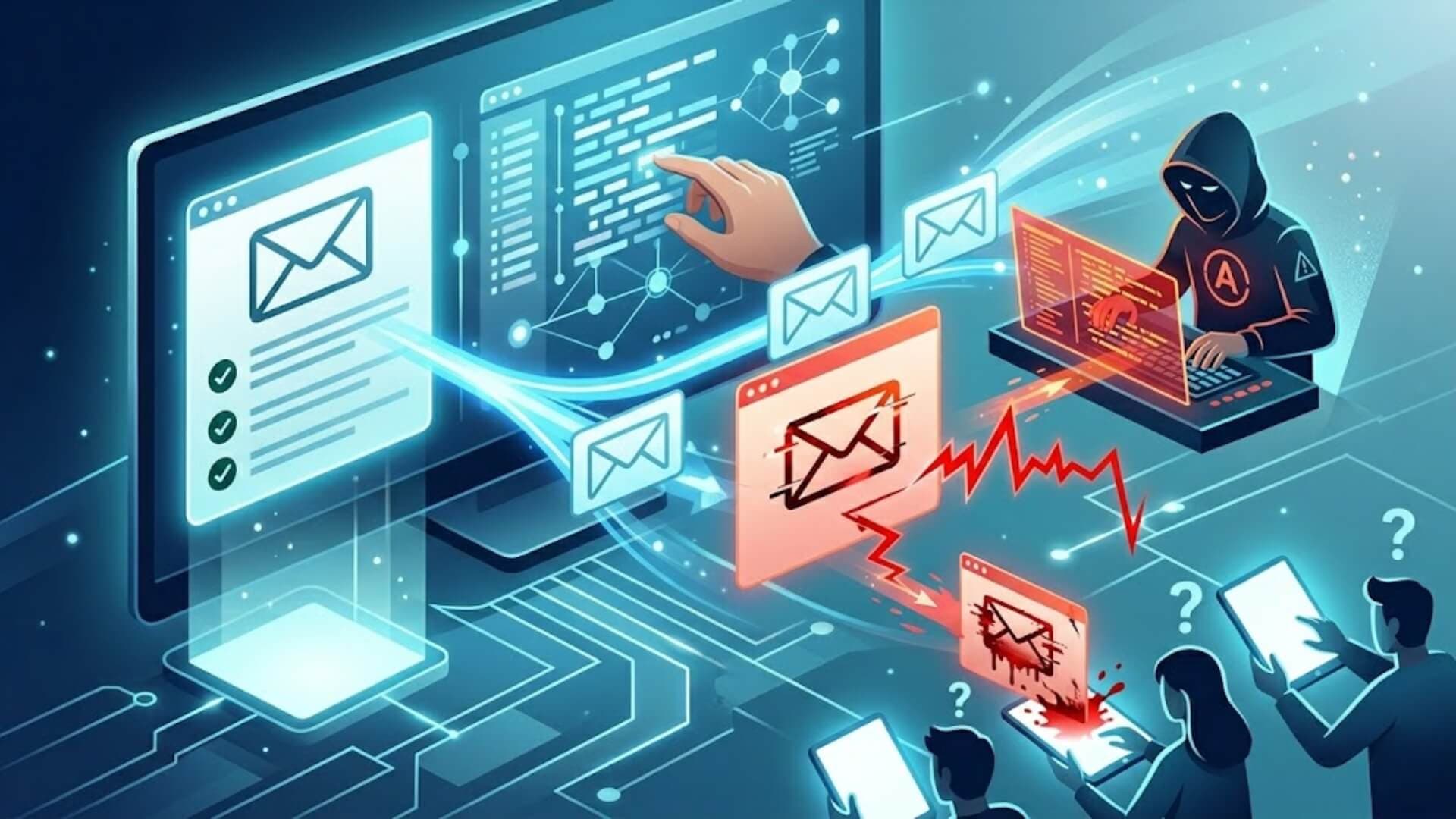
Clone phishing attacks don't look suspicious, and that's exactly what makes them dangerous. The email arrives in your inbox with a familiar sender name, a subject line you recognize, and content that mirrors something you've already received. The only difference is that the link or attachment has been quietly swapped out for a malicious one.
This article breaks down exactly how clone phishing works, how to recognize the warning signs, and what your organization can do to stop it before any damage is done.
What is a clone phishing attack?Link to heading

Clone phishing is a specific type of phishing attack that copies a real, previously delivered email and uses it to deceive recipients. The attacker intercepts a legitimate message from a trusted sender, swaps out the original links or attachments for malicious ones, and resends it to the same recipients. To avoid raising suspicion, the attacker provides a simple, believable reason for sending the email again, such as a correction or an update.
On top of that, they apply standard phishing techniques to make the message appear credible, including spoofing the display name so it matches the original sender.
Just like conventional phishing, clone phishing emails are typically sent to a large pool of recipients at once to maximize the chance of tricking someone. Once a victim is compromised, the attacker gains access to that person's contact list and forwards the cloned email further, extending the attack's reach well beyond the initial targets.
This type of attack is particularly harmful to organizations such as managed service providers and small-to-medium businesses. Once an attacker breaks into an internal network, they establish a foothold that can be used to launch more targeted follow-up attacks, including spear-phishing campaigns, supply chain attacks, and schemes directed at other employees, customers, or business partners.
>>> Learn more: What is phishing? Tips to identify and prevent online scams
Clone phishing exampleLink to heading
Picture receiving a familiar email from a brand you regularly interact with. A short time later, the same email lands in your inbox again. This time, the sender explains they forgot to include certain recipients or left out some important information.
Without knowing the telltale signs of a clone phishing attack, you accept the email as legitimate and take the sender's explanation at face value. The content and tone of the message give you no obvious reason for concern. What you don't realize is that this second email is not from the original sender at all. It is a carefully crafted copy of the first message, designed to get you to click a malicious link or open a harmful attachment.
How clone phishing worksLink to heading

Because clone phishing emails are modeled on real, previously sent messages, they carry a layer of built-in credibility that makes them harder to detect. The following are some of the key methods attackers use to make a clone phishing attack effective.
Attackers impersonate a well-known brand or individual, sometimes going as far as building fake websites and registering email addresses that closely resemble the legitimate ones. The cloned email is distributed to a large number of potential victims simultaneously, increasing the probability that at least some of them will fall for it.
The fraudulent message is engineered to look nearly identical to the original, matching the language, layout, visual style, and tone, with only subtle differences that most people would not catch at a glance.
To execute the attack, cybercriminals may use techniques such as DNS hijacking to redirect victims without their knowledge. They replicate the structure of the original email to preserve its authentic appearance while embedding malicious elements that allow them to steal user data or infect the recipient's device.
Like other phishing variants, clone phishing attacks frequently use social engineering tactics to put recipients off guard. Common examples include prompting users to reset their login credentials due to a supposed security breach, or asking them to update billing information to avoid losing account access. These messages are often written with a sense of urgency to pressure the recipient into acting quickly without stopping to think.
If the recipient clicks the malicious link or downloads the compromised attachment, one of two outcomes typically follows. In the first scenario, they are redirected to a convincing but fraudulent website where they are asked to enter sensitive information such as passwords or payment details.
In the second scenario, downloading the attachment silently installs malware on their device, which the attacker can then use to extract whatever data they are after.
In some clone phishing attacks, the attacker manages to insert themselves into an active, legitimate email thread and compromise a real reply. These cases tend to be more successful because the recipient is already expecting the message and has no reason to question it.
Signs of a clone phishing attackLink to heading

Knowing what to look for is one of the most important steps in defending against clone phishing. Even though these emails are designed to look legitimate, they often contain subtle inconsistencies that a careful recipient can catch. Below are the most common warning signs found in clone phishing emails, though not all of them will appear in every case.
- The sender's email address looks familiar at first glance but contains a misspelling or uses slightly altered characters.
- The email domain does not exactly match the official domain of the company it claims to be from.
- The sender's address includes random letters or numbers that serve no logical purpose.
- The message creates a sense of urgency, pressuring the recipient to take action within a tight timeframe.
- The email asks for login credentials, credit card details, or other personal information, either as a direct reply or through a link to an external website.
- The greeting is generic, even though the company sending the email should already have the recipient's name on file.
- Images and logos appear pixelated, stretched, or otherwise low in quality.
While this list is not exhaustive and none of these signs are individually conclusive, scanning any suspicious email for these indicators is good practice. A single flag could point to a clone phishing attempt or another type of phishing attack. If multiple signs appear in the same message, there is a strong likelihood it is fraudulent and should not be trusted.
>>> Learn more: What is a Whaling attack? How does a Whaling attack work?
How to prevent clone phishing attacksLink to heading
Preventing a clone phishing attack requires a combination of technical safeguards and user awareness. The following best practices apply to both individual users and organizations looking to reduce their exposure to this threat.
Verify the sender's email addressLink to heading
Carefully inspect the sender's address for anything unusual, including odd domain names, strings of random numbers, formatting inconsistencies, or misspelled words. Even a single character difference from the legitimate domain is a red flag.
Check every link before clickingLink to heading
Before clicking any link in an email, hover over it to preview the destination URL. Confirm it leads to a website you recognize. Also check that the URL begins with HTTPS, which indicates an encrypted connection.
Go directly to the official websiteLink to heading

Rather than clicking links embedded in emails, type the official website address directly into your browser. Complete any requested actions, such as logging in or updating payment details, through the verified site only.
Contact the sender independently to verifyLink to heading
If anything about an email seems off, open a fresh email thread and contact the sender or company directly to confirm whether the message is genuine. Do not reply to the suspicious email itself. Independent verification is one of the most effective ways to confirm whether you are dealing with a clone phishing attack before any damage is done.
Never provide sensitive information over emailLink to heading
Legitimate organizations, including banks and financial institutions, will never ask for full PINs, passwords, or social security numbers through email. Any message requesting this type of data should be treated as suspicious, regardless of how official it appears.
Look for quality and formatting errorsLink to heading
Scan the email carefully for spelling mistakes, grammatical errors, formatting issues, or low-resolution images. These are common indicators of a fraudulent message that was not produced by a professional organization.
Use security tools consistentlyLink to heading
- Use a VPN when browsing to protect your internet activity from interception.
- Use a password manager to generate strong, unique passwords and fill them in automatically, reducing the risk of entering credentials on a fake site.
- Scan all emails and attachments with up-to-date antivirus software before opening.
- Set email spam filters to their highest sensitivity level.
- Keep all software, including browsers, operating systems, and security tools, updated regularly to close known vulnerabilities.
Watch for unusual browser behaviorLink to heading
Stay alert to SSL certificate errors, unexpected pop-ups, unfamiliar browser extensions, and error messages that appear without a clear cause. These can be early indicators that a phishing attempt is already in progress on your device.
ConclusionLink to heading
Clone phishing attacks work because they look legitimate, and that is exactly why they are so difficult to dismiss in real time. Recognizing the signs, verifying senders independently, and applying the right technical controls are the three pillars of an effective defense against this threat.
No single measure is enough on its own. A layered approach combining user awareness, email authentication protocols, and perimeter-level protection gives your organization the best chance of stopping a clone phishing attack before any damage is done.
>>> Is your website protected against fake login pages and phishing links that attackers use to steal sensitive information? Activate W7SFW today to block suspicious requests before they ever reach your WordPress site.