10 min read
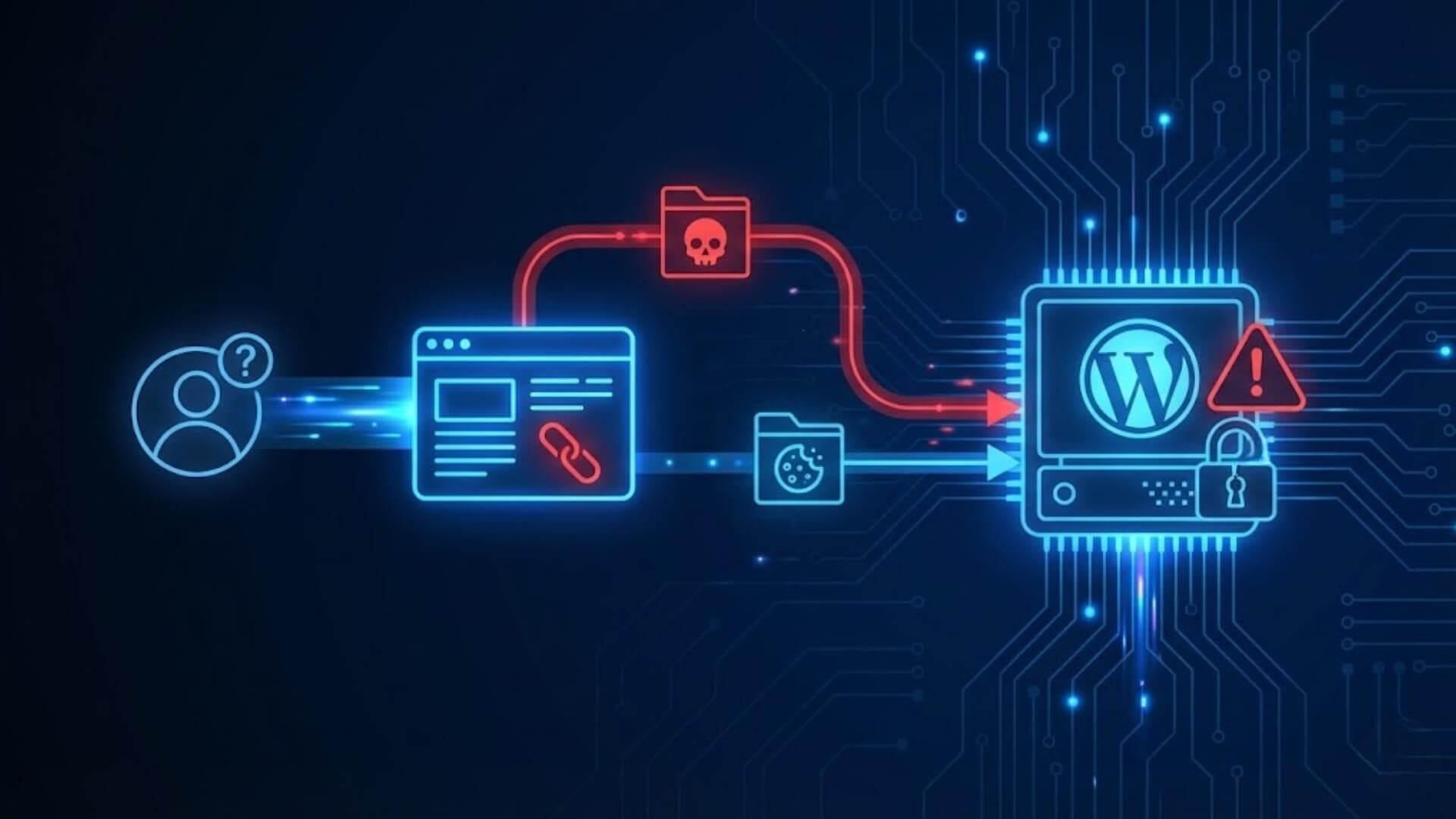
Understanding WordPress Core Vulnerabilities is essential for anyone who relies on this platform to manage a website. While WordPress is known for its flexibility and large ecosystem, its core system can still contain weaknesses that allow attackers to exploit outdated versions, misconfigurations, or unpatched flaws.
These vulnerabilities can expose sensitive data, disrupt business operations, and compromise the overall integrity of a website. In this guide, you will discover the key vulnerabilities found in the WordPress core and learn the essential methods required to safeguard your online presence.
Why the WordPress core is a high-value targetLink to heading

Attackers prioritize the WordPress core because it is present on a massive portion of the web, which amplifies the impact of any successful exploit and makes large-scale automation profitable. A vulnerability in core can be weaponized to compromise thousands or millions of sites with the same payload, enabling spam campaigns, SEO poisoning, data theft, or the creation of botnets.
In addition, core components - such as authentication handlers, the REST API, and file-upload pathways - often expose high-privilege operations; flaws here permit privilege escalation or remote code execution, which are highly valuable to adversaries. Finally, the ubiquity of WordPress means many sites lag on updates, creating persistent pools of vulnerable targets that attackers can scan and exploit en masse.
>>> See more: Malware in WordPress: Signs, cleanup methods, and prevention
The most common WordPress core vulnerabilitiesLink to heading
Cross-Site Scripting in coreLink to heading
Cross-Site Scripting (XSS) in the WordPress core arises when core code outputs user-controlled content into pages without adequate encoding or sanitization, allowing injected scripts to run in the context of a victim’s browser. In core, such weaknesses are especially dangerous because they can affect all sites running the vulnerable release, enabling cookie theft, session hijacking, or unauthorized actions performed by authenticated users.
Preventing XSS at the core level requires rigorous input validation, context-aware output encoding, and review of any API or feature that renders user data back to the page, such as comment rendering, post metadata, and admin UI elements.
SQL Injection risks in core functionsLink to heading
SQL Injection occurs when core database routines or helper functions interpolate untrusted input into SQL queries without using prepared statements or parameter binding. In core functions, an SQLi flaw can expose sensitive site data, escalate privileges by creating admin accounts, or corrupt the database.
Because WordPress core abstracts many database operations for plugin and theme authors, vulnerabilities in these abstractions can cascade widely. Mitigation hinges on using the platform’s parameterized query APIs consistently, enforcing strict data typing, and auditing any custom query helper to ensure it never concatenates raw input into SQL.
Authentication weaknesses and session handlingLink to heading
Authentication weaknesses in the core include flawed login logic, insecure token generation, weak password hashing configuration, or session management errors that permit session fixation or replay. Poor session handling - such as long-lived cookies without proper rotation, insecure cookie flags, or predictable nonces - can enable attackers to impersonate users or maintain persistent access.
Core must enforce strong, modern cryptographic practices for password storage, implement secure cookie attributes (HttpOnly, Secure, SameSite), and ensure robust nonce and token lifecycles to prevent reuse and replay.
CSRF (Cross-Site Request Forgery) in administrative actionsLink to heading
CSRF vulnerabilities in administrative actions appear when the core accepts state-changing requests without verifying that the request originates from an authenticated, intended user. In the admin context, CSRF can let remote attackers trick an authenticated administrator into performing privileged operations - such as changing settings or installing plugins - by embedding crafted requests in third-party pages.
Effective defense requires mandatory, per-action CSRF tokens (nonces), strict referer/origin checks where appropriate, and limiting dangerous state changes to POST requests coupled with explicit user confirmation.
REST API exposure and data leakageLink to heading

The WordPress REST API increases flexibility but also widens the attack surface if endpoints expose sensitive data or allow unintended modifications. Misconfigured permissions, overly permissive endpoints, or verbose responses that include private metadata can lead to data leakage or privilege escalation.
Securing REST endpoints involves applying least-privilege access control, validating request parameters, minimizing returned data to what is strictly necessary, and auditing endpoint registrations to ensure public routes do not inadvertently expose admin or user information.
>>> See more: REST API Vulnerabilities in WordPress
XML-RPC exploits and Brute-Force amplificationLink to heading
XML-RPC was designed for remote publishing and can be abused when available on a site. Attackers exploit its multi-call methods to amplify brute-force login attempts or to execute requests that would otherwise be rate-limited via the standard login flow. This amplification makes distributed attacks more efficient and harder to mitigate.
If XML-RPC is required, core must enforce strict authentication checks, rate limiting, and request validation; otherwise, disabling or proxying XML-RPC behind additional controls is the safer option.
>>> See more: Securing WordPress against XML-RPC attacks
File permission misconfigurationsLink to heading
Incorrect file and directory permissions at the core level enable attackers who gain limited access to escalate privileges or to write executable files to the webroot. Examples include writable configuration files, world-writable directories, or permissive temporary upload locations.
Secure defaults in core, combined with clear deployment guidance, are essential: configuration files should be non-writable by the web server, uploads should be stored outside executable paths when possible, and installation documentation must insist on least-privilege file ownership models to reduce the risk of post-compromise persistence.
Zero-Day vulnerabilities in the coreLink to heading
Zero-day vulnerabilities are flaws unknown to maintainers and unpatched at the time of exploitation; in the WordPress core these are exceptionally perilous because core is ubiquitous. A zero-day in core can allow mass exploitation before a patch propagates, aided by automated scanners and botnets.
Managing zero-days requires rapid disclosure channels, the ability to issue emergency security releases, coordinated communication with hosts and large sites, and layered defenses - such as WAFs and monitoring - that can provide interim protection until a formal fix is deployed.
How hackers exploit WordPress core weaknessesLink to heading

Automated attack bots and vulnerability scannersLink to heading
Automated attack bots and vulnerability scanners are the primary tools hackers use to discover and exploit WordPress core flaws at scale. These programs systematically crawl IP ranges and domains, probing for specific indicators such as exposed endpoints, outdated version headers, or known vulnerable parameters.
When a scanner identifies a match against a known signature - an unpatched CVE, a weak admin endpoint, or an improperly configured API - the bot will either launch an automated exploit payload or flag the target for manual follow-up. Because these tools operate continuously and at high velocity, they can compromise large numbers of sites within hours of a vulnerability being published.
Their automation reduces the skill barrier to exploitation, enabling opportunistic actors to weaponize public exploit code and reconnaissance data without deep technical expertise.
Version fingerprinting and targeted attacksLink to heading
Version fingerprinting is a reconnaissance technique attackers use to determine the exact WordPress version and component stack running on a site - information that greatly increases the precision and success rate of subsequent attacks. Fingerprinting methods include parsing meta tags, checking REST API responses, analyzing plugin/theme version disclosures, and probing characteristic behavior of specific releases.
Once an attacker confirms a vulnerable version, they can mount targeted attacks that exploit version-specific flaws, craft payloads that bypass generic defenses, and avoid noisy techniques that might trigger detection. Targeted attacks often combine fingerprinting with social engineering or credential stuffing to gain initial footholds, after which adversaries pursue privilege escalation and persistence tailored to that site's configuration.
Exploiting outdated WordPress installationsLink to heading
Outdated WordPress installations represent low-hanging fruit because they frequently contain publicly documented vulnerabilities and lack the latest security hardening. Attackers exploit these installations by leveraging published patches and proof-of-concept exploits to execute commands, inject backdoors, or create administrative accounts.
Because many organizations delay updates - due to compatibility concerns, staging gaps, or operational inertia - automated exploit campaigns routinely sweep the internet for these lagging targets. Once compromised, an outdated site can be used to host malware, pivot to other internal systems, or be incorporated into botnets for further attacks.
The risk is amplified when outdated core software interacts with outdated plugins or insecure hosting, creating chained vulnerabilities that increase the severity and persistence of compromises.
>>> Learn more: 20 WordPress hardening best practices for maximum protection
How to protect your site from core vulnerabilitiesLink to heading

Keep the WordPress core updated immediatelyLink to heading
Applying WordPress core updates promptly is the single most effective defense against known vulnerabilities. Security patches are released to fix specific CVEs; delaying updates leaves your site exposed to publicly documented exploits that are actively scanned and weaponized by attackers.
Implement an update strategy that includes automatic patching for minor releases, staging and testing for major updates to avoid breaking functionality, and a scheduled maintenance window for applying and verifying changes. Combine automated alerts from trusted sources with change-control procedures so critical fixes are prioritized and deployed with minimal delay.
Disable XML-RPC when it is not requiredLink to heading
XML-RPC provides legacy remote publishing functionality but also introduces an amplified attack surface that can be used for brute-force amplification, credential stuffing, or remote method abuse. If your workflow does not require remote posting, pingbacks, or legacy client integrations, disable XML-RPC at the application or server level.
Where XML-RPC is necessary, restrict access via IP allow-lists, enforce strict authentication, and rate-limit requests. Proxying or placing XML-RPC behind additional access controls can limit exposure while preserving needed functionality.
Harden file permissions and server configurationsLink to heading
Weak file and directory permissions are a common post-compromise persistence vector. Enforce least-privilege file ownership and permissions: configuration files such as wp-config.php should be non-writable by the web server, uploads should be segregated from executable paths, and temporary directories must not accept arbitrary executable content.
Harden server settings by disabling unnecessary PHP functions, restricting execution in upload folders, configuring appropriate umask values, and ensuring the web server runs with a dedicated, unprivileged account. Combine these controls with secure filesystem mounts and SELinux/AppArmor policies where available to add an OS-level containment layer.
Deploy a robust firewall for layered defenseLink to heading
A firewall provides an essential external layer that can block exploit attempts before they reach the application, particularly useful during windows when a zero-day is active and a patch is not yet available. Choose a firewall that supports behavior-based detection, IP reputation filtering, and custom rule sets tailored to WordPress attack patterns.
Ideally, enforce a “deny-by-default” posture with a carefully curated whitelist for legitimate traffic, and ensure the firewall integrates with your operational toolchain to surface alerts and logs for investigation. Test firewall rules in monitoring mode before full enforcement to minimize false positives that could block legitimate users.
>>> Protect your WordPress website today with W7SFW - a simple and effective WordPress Firewall.
Restrict administrative access and enforce strong authenticationLink to heading
Limit administrative accounts to only those who require them and apply the principle of least privilege to roles and capabilities. Enforce strong authentication controls: implement multi-factor authentication (MFA) using time-based or hardware-backed authenticators, require complex passwords, and consider conditional access such as IP whitelisting for the wp-admin area.
Use short session timeouts, revoke stale sessions, and maintain an audit log of privileged actions. Where practical, separate administrative interfaces onto a management VLAN or subdomain accessible only via VPN or bastion hosts.
Implement regular backups and tested restore proceduresLink to heading
Backups are the last line of defense and a prerequisite for rapid recovery. Implement automated, immutable backups with offsite retention and point-in-time restore capabilities. Ensure backups include files and databases, are encrypted at rest and in transit, and are verified regularly through restore tests to validate data integrity and recovery time objectives (RTO).
Maintain a documented restore playbook that assigns roles, lists dependencies, and outlines rollback criteria so recovery after an incident is predictable and efficient.
Continuously monitor CVE feeds and security bulletinsLink to heading
Proactive monitoring of vulnerability databases, vendor advisories, and security bulletins enables you to detect relevant threats early and prioritize remediation. Subscribe to CVE/NVD feeds, WordPress security announcements, and vendor mailing lists for plugins and hosting providers.
Integrate this intelligence into your ticketing and patch-management workflows so critical advisories generate automated alerts and assigned remediation tasks. Augment feeds with active scanning and host-level monitoring to detect indicators of compromise, and maintain an incident response plan that maps detection to containment, eradication, and notification steps.
WordPress core vs plugin vulnerabilities: What’s more dangerous?Link to heading

While core vulnerabilities are rare due to rigorous code review and continuous maintenance by the WordPress Security Team, their potential impact is far-reaching because they exist in the foundation of every installation. Plugin vulnerabilities, on the other hand, are significantly more common and frequently exploited, as plugins vary widely in coding quality, update frequency, and long-term support.
In practice, the biggest danger emerges when weaknesses in plugins interact with configuration issues or outdated core versions, creating compounded risks.
Why core vulnerabilities are rare but criticalLink to heading
Vulnerabilities in the WordPress core occur far less frequently because the core software undergoes extensive auditing, peer review, and coordinated patching by a dedicated security team. Its codebase is maintained with strict coding standards, continuous community oversight, and a structured disclosure process.
However, when a core vulnerability is discovered, its impact is inherently critical: it affects every WordPress installation worldwide, and automated exploit tools can weaponize it within hours of public disclosure. Since the core is responsible for fundamental operations - authentication, database access, the REST API, and file handling - any flaw in these areas can enable widespread compromise.
This combination of low frequency and high severity makes core vulnerabilities some of the most dangerous when they appear.
How plugin vulnerabilities often become the attack vectorLink to heading
Plugins introduce the highest number of vulnerabilities in the WordPress ecosystem because they vary dramatically in development quality, maintenance discipline, and security maturity. Many plugins are created by small teams or individual developers, making them more susceptible to insecure coding practices, outdated dependencies, insufficient testing, and abandoned codebases.
Attackers frequently target plugins because they allow direct interaction with the WordPress environment - handling forms, uploads, AJAX calls, and custom database operations. When a plugin vulnerability becomes known publicly, large-scale automated scans begin almost immediately, probing millions of sites for the affected versions. This makes plugin vulnerabilities the most common real-world entry point for website compromise.
When core weaknesses amplify plugin risksLink to heading
Even though plugin vulnerabilities are often the initial foothold attackers use, weaknesses in the core can significantly magnify the damage these vulnerabilities cause. For instance, outdated core versions may include imperfect sanitization routines or deprecated security functions that fail to adequately protect plugin operations.
A plugin vulnerability that might otherwise allow limited access can escalate into full remote code execution when combined with an unpatched core flaw. Additionally, misconfigurations at the core level - such as improper file permissions, unsecured REST API endpoints, or outdated authentication mechanisms - can turn a moderate plugin issue into a system-wide compromise.
ConclusionLink to heading
In the evolving threat landscape, staying informed about WordPress core vulnerabilities is a vital part of safeguarding any WordPress installation. Core issues may be less frequent, but when exploited, they expose every website running the platform. By reinforcing the core, auditing plugins, and applying layered security defenses, website owners can minimize exposure and ensure long-term protection against emerging attacks.