10 min read
In recent weeks, security researchers have uncovered an unusual malware incident involving a compromised WordPress website. This discovery highlights a dangerous shift in cybercriminal strategy: instead of attacking site visitors, attackers are now directly targeting the individuals who hold the “keys” to the website - the administrators.
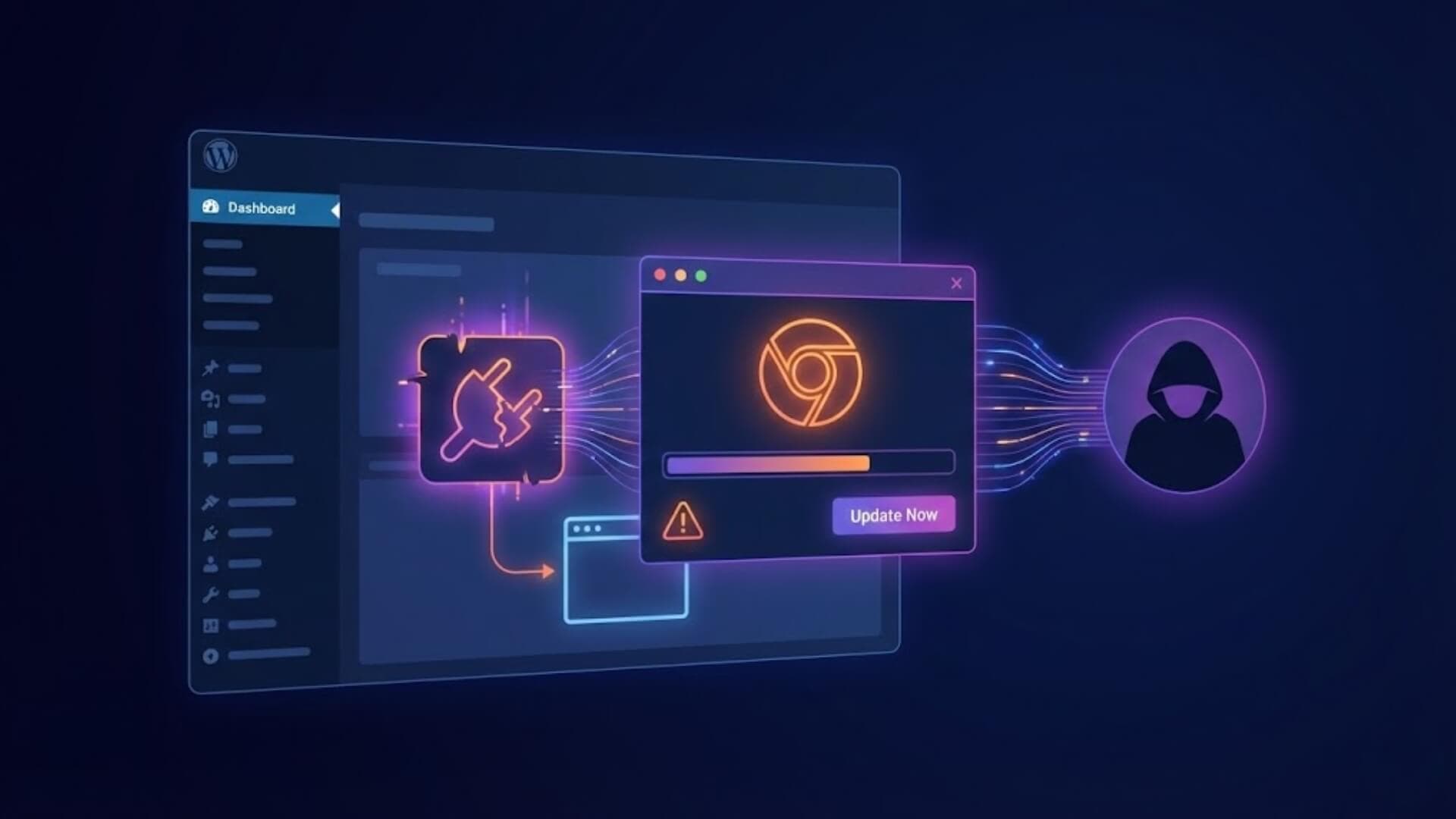
By leveraging malicious plugins disguised as harmless tools and employing sophisticated social engineering techniques, attackers are turning the WordPress admin dashboard (wp-admin), traditionally considered a secure environment, into a digital “minefield” designed to infect systems with malware.
A perfect disguise: The “Modern Recent Posts” pluginLink to heading

The investigation began after multiple WordPress administrators reported strange pop-up windows appearing on their websites. What made the situation particularly suspicious was that these alerts urged users to update Chrome or Firefox, even though their browsers were already running the latest versions.
A deeper analysis revealed the culprit: a plugin named “Modern Recent Posts.” On the surface, it appeared to be a simple widget for displaying recent posts - a common and largely unremarkable feature. However, hidden within its source code was a sophisticated malware delivery system designed to evade traditional security scanners, which typically focus on front-end user behavior rather than administrative environments.
>>> Learn more: Why WordPress security issues mostly start with plugins
Precision targeting techniquesLink to heading
What makes this campaign especially dangerous is its highly selective targeting mechanism. The malware does not execute indiscriminately. Instead, it performs three strict checks before launching its attack.
Operating System VerificationLink to heading
The malware uses a function called is_windows_ua to analyze the browser’s User-Agent string. It only activates if the user is running a Windows operating system, searching for identifiers such as “Windows,” “Win32,” or “Win64”.
The rationale is straightforward: the final payload is typically a .exe executable file, which only runs on Windows. By ignoring macOS and Linux users, the malware significantly reduces the likelihood of early detection by security professionals, who often use non-Windows systems.
Privilege VerificationLink to heading
This is the most critical step. The malware calls WordPress’s current_user_can('manage_options') function to ensure that only users with the highest administrative privileges are targeted. Regular visitors see a completely clean website, meaning site owners receive no complaints from customers - a tactic that allows the malware to remain undetected for extended periods.
Location VerificationLink to heading
Using the is_admin() function, the malware executes only when the user is inside the WordPress admin dashboard (wp-admin). Administrators working in the dashboard are generally prepared to perform technical actions or system updates. Attackers exploit this mindset to significantly increase the success rate of their deception.
How the malware operatesLink to heading

Once all conditions are met, the malicious plugin initiates its attack sequence.
Remote payload delivery
Rather than embedding malicious code directly inside the plugin files - which would make it easier for signature-based scanners to detect - “Modern Recent Posts” functions as a delivery agent. It connects to the attacker’s domain (for example, persistancejs[.]store) and transmits sensitive information such as:
- The website’s hostname
- The administrator’s username
It then downloads a Base64-encoded JavaScript payload and injects it directly into the admin dashboard. Because this script executes under the administrator’s privileges, it gains full control over the user’s browser session.
Psychological manipulation via fake updates
Once executed, the JavaScript payload creates a high-priority overlay that blocks all user interaction. Two main scenarios are observed:
- Fake Browser Updates: Alerts claiming that Chrome or Firefox is outdated and must be updated to continue.
- Fake Java Updates: Messages using fear-inducing language such as “Critical Update Required” or “Your environment is severely outdated” to pressure users into clicking the “UPDATE NOW” button.
>>> See more: Malware in WordPress: Signs, cleanup methods, and prevention
ConsequencesLink to heading

Many people assume that a WordPress malware infection only affects the website itself. In this case, however, the website serves merely as a launchpad for a much more serious attack on the administrator’s personal device.
When a user clicks the fake update button, a malicious file is downloaded to their computer. If executed, the consequences can be severe:
- Remote Access Trojans (RATs): Attackers gain full remote control of the computer, including screen viewing, camera access, and audio recording.
- Information Stealers: Theft of browser-stored passwords, session cookies, cryptocurrency wallets, and banking data.
- Ransomware: Complete encryption of the victim’s files, followed by ransom demands for data recovery.
- Chain Attacks: From the compromised personal device, attackers can pivot to other websites, company servers, or social media accounts managed by the same administrator.
Persistence and self-destruction mechanismLink to heading
The malware is also equipped with an advanced persistence and self-update mechanism, controlled via a special URL parameter: ?upd=1.
If the attacker wants to change the attack vector (for example, switching from fake Java updates to fake Windows system alerts), or if they suspect imminent detection, they simply send a request containing this parameter.
Once triggered, the plugin automatically deletes its own files and directories, then immediately downloads a fresh version from the Command & Control (C2) server. This capability enables attackers to erase execution traces (anti-forensics) and maintain long-term access, even if part of the malicious code has already been exposed.
Comprehensive remediation and prevention guideLink to heading

If you suspect your website is affected by this campaign, take the following steps immediately:
Step 1: Website-level response
- Remove unknown plugins: Access the wp-content/plugins directory via FTP or File Manager and delete the entire folder of the “Modern Recent Posts” plugin, along with any plugin you did not personally install.
- Audit user accounts: Go to Users in the WordPress dashboard and look for suspicious administrator accounts (often named “help,” “support,” or random character strings). Remove them immediately.
- Reset all credentials: Change passwords for WordPress, FTP, Database, and Hosting accounts. Be sure to enable Two-Factor Authentication (2FA) wherever possible.
Step 2: Personal device response
- Scan for malware: If you clicked the “Update” button on any of these pop-ups, assume your computer has been compromised. Run a full system scan using reputable antivirus software such as Kaspersky, Bitdefender, or Malwarebytes.
- Secure login sessions: Log out of all critical accounts (email, banking, cloud services) and change passwords from a separate, clean device.
Step 3: Long-term prevention
- Follow the “legitimate update” principle: Modern browsers like Chrome and Firefox update silently in the background. They will never ask you to download an .exe file from a random website to perform an update.
- Install a security firewall: Modern firewall services can block connections to known malicious domains such as persistancejs[.]store.
>>> W7SFW is a WordPress security firewall designed to stop attacks at the outer layer, before malware, fake plugins, or backdoors have a chance to reach your website. Instead of reacting after a breach has occurred, W7SFW proactively filters and blocks up to 99% of malicious traffic using an intelligent Default Rule system combined with Whitelisting and integrated 2FA, providing comprehensive protection for the wp-admin area, website data, and administrator privileges.
Activate W7SFW today to block attacks before your website becomes the next target.
- Avoid untrusted plugins: Only install plugins from the official WordPress.org repository or well-established developers.
- Apply the principle of least privilege: Do not use an Administrator account for daily content tasks. Use an Editor account instead, and log in as Admin only when system-level configuration is required.
ConclusionLink to heading
Overall, the “Modern Recent Posts” attack campaign delivers a sharp reminder that humans remain the weakest link in cybersecurity. Attackers no longer need to exploit WordPress core vulnerabilities if they can simply trick administrators into installing malware themselves. Vigilance and security awareness are the strongest defenses - not only for protecting your website, but for safeguarding your entire digital footprint.