10 min read
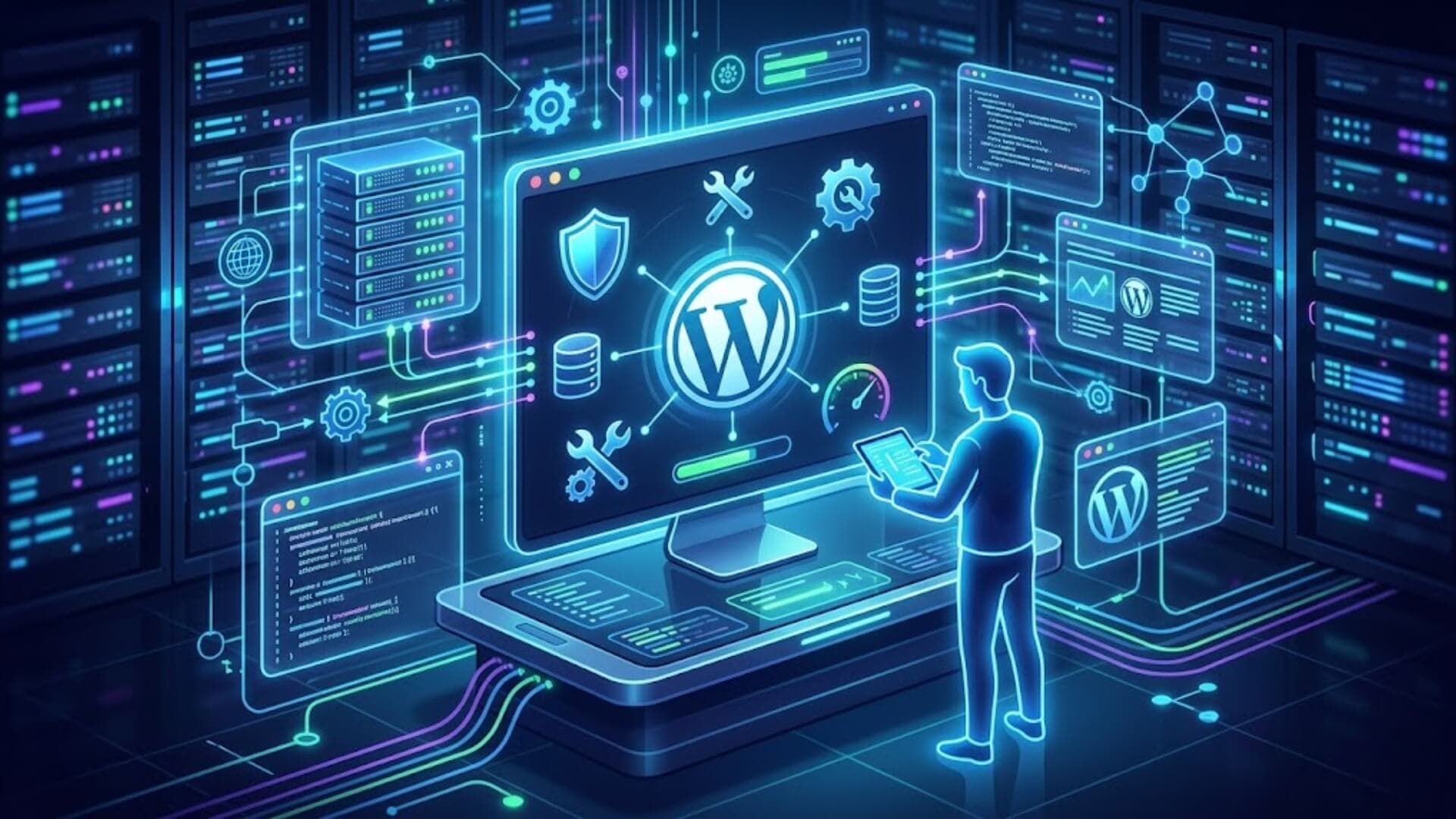
If you’re running a website on WordPress, keeping it live is only half the job. What really keeps your site secure, fast, and performing well over time is consistent WordPress maintenance. Yet many website owners overlook this step until something breaks.
This WordPress maintenance checklist for every website owner is designed to help you stay ahead of those risks. Instead of reacting to problems, you’ll learn how to prevent them with simple, structured tasks that protect your site and keep everything running smoothly.
Why is maintaining your WordPress site so important?Link to heading

Launching a WordPress site is often a major milestone for any webmaster. That makes sense. As the person who built it, you have spent time creating attractive content, choosing a polished design, and putting everything together carefully. Naturally, you want to share it with the world.
But launch day is only the start. Once your site goes live, it begins its real life, and it should never be left unattended. You care about your site, do you not? Then it needs regular attention and proper care to keep it running well. That is exactly what WordPress maintenance is for. In simple terms, maintenance covers every action you take, whether it is updating, fixing, improving, or adjusting your site so it stays functional and efficient.
Because in reality, not everything works perfectly all the time. Day after day, your site may run into small issues that can affect both you and your visitors. These problems can include:
Plugin conflicts:
- WordPress errors such as the “White Screen of Death”
- Inability to access the admin dashboard
- 404 errors that make some posts or pages hard to find
- Security vulnerabilities in a plugin
>>> Learn more: 15 Common signs that your WordPress website is under attack
WordPress maintenance is essential for strengthening security and improving performance and the user experience. To deal with these issues, WordPress maintenance plays a key role. Here are some of its main benefits:
- Keeps your website secure: WordPress powers a large portion of websites worldwide, which also makes it a common target for attacks. While the core system is generally secure, risks often come from plugins or themes. Keeping everything updated helps close security gaps before they can be exploited.
- Creates a better experience for visitors: A well-maintained site loads smoothly, stays online, and feels safe to use. This is especially important for online stores using WooCommerce, where customer data and transactions must always be protected.
- Improves website speed and performance: Maintenance helps clean up unnecessary files, optimize images, and reduce the size of CSS and JavaScript. This leads to faster loading pages, which keeps visitors from leaving too quickly and increases the chances they take action, like making a purchase.
- Protects your SEO performance: If your site gets hacked or runs into serious issues, search engines like Google may lower your rankings. Regular maintenance reduces these risks, helping you maintain stable traffic and avoid losing potential customers.
- Reduces errors and technical problems: Frequent updates mean fewer bugs, conflicts, and unexpected issues. Simply put, taking care of your site regularly helps you avoid bigger problems later.
- Keeps your website aligned with your business: Maintenance is not just about fixing things. It also involves updating and improving your content so your website reflects your latest products, services, or direction.
- Helps you recover quickly when something goes wrong: With regular backups in place, you can restore your website quickly if it gets hacked or crashes, minimizing downtime and damage.
WordPress maintenance is essential for keeping your site running day to day and delivering a strong experience to your customers.
What are the different types of WordPress maintenance?Link to heading

To keep a WordPress site running smoothly and avoid unexpected failures, WordPress maintenance can generally be divided into three main types.
Preventive maintenanceLink to heading
Preventive maintenance focuses on avoiding issues before they happen, such as errors, bugs, or security breaches. This is the most commonly used approach in WordPress maintenance. It includes routine tasks like updating the WordPress core (both major and minor releases), plugins, themes, and language files.
It also involves performing regular backups to secure your data, checking plugin compatibility and security, and keeping server software such as PHP and MySQL up to date. In addition, it covers ongoing management of hosting, domain settings, and email services, as well as cleaning spam comments and checking for broken or inactive links. The goal is to ensure your website always runs on updated, secure code without known vulnerabilities.
Corrective maintenanceLink to heading
Corrective maintenance is performed when something goes wrong and needs to be fixed. Even with strong preventive WordPress maintenance, problems can still occur. These issues may include errors in PHP, JavaScript, or CSS code, plugin malfunctions, or conflicts between plugins after updates. It can also involve fixing security breaches caused by brute force attacks, SQL injections, directory traversal, cross-site scripting (XSS), or malicious file uploads.
Evolutionary maintenanceLink to heading
Evolutionary maintenance is about improving and expanding a website to meet new business needs or user expectations. Instead of fixing problems, it focuses on adding new functionality and enhancing performance.
Examples include integrating email subscription forms, creating membership areas or forums for private communities, or converting a website into an online store using tools like WooCommerce, Easy Digital Downloads, WPshop, or BigCommerce.
It may also involve migrating to a more powerful hosting environment, updating key page designs, or adding new content for products, services, or team updates. In some cases, evolutionary changes are required to comply with new regulations, such as adding a privacy policy after GDPR enforcement in 2018.
By understanding these three types of WordPress maintenance, you can better manage your website’s stability, security, and growth.
Next, we will look more closely at the technical tasks involved in maintaining a WordPress site on a day-to-day basis.
What areas are covered in WordPress maintenance?Link to heading

In general, WordPress maintenance focuses on five key areas, which are outlined below.
BackupsLink to heading
Backups are the most critical part of WordPress maintenance and should always be prioritized for any website. A backup ensures that a complete and secure copy of your website data is stored, allowing you to quickly restore your site if anything goes wrong, such as data loss, errors, or security issues.
There are two main ways to create backups:
- Install a backup plugin, such as UpdraftPlus. You can also review other plugin options to choose the most suitable one for your needs.
- Use the backup service provided by your hosting provider, if available.
For beginners, using a plugin is usually the simplest option since everything can be managed directly within the WordPress dashboard. Regardless of the method you choose, it is important to follow best practices:
- Back up both website files and the database
- Store backups in an external location such as Google Drive, Dropbox, or Amazon S3
- Set up automated backups to ensure consistency and reduce risk. The frequency should match how often your site changes
For example, a news website or an online store with frequent updates should be backed up daily. In contrast, a static business website that rarely changes may only require monthly backups.
Updates Link to heading
Keeping your system updated is another essential part of WordPress maintenance. Regular updates help to:
- Strengthen website security
- Add new features and improvements. For instance, WordPress 5.9 introduced the Site Editor, allowing full customization of layouts such as headers, footers, menus, and page templates using block-based editing
- Fix bugs and resolve compatibility issues between themes and plugins
To maintain best performance and safety, you should:
- Update the WordPress core, plugins, and themes regularly
- Avoid delaying updates once they appear in the Dashboard under “Updates”
By default, WordPress automatically applies minor and security updates in the background unless this feature is disabled by the user or hosting provider. However, major updates (such as WordPress 5.9 or 6.0) usually require manual installation or can be managed using tools like ManageWP, MainWP, or WP Umbrella.
Other common problems include missing content, login issues in the admin dashboard, or unexpected layout changes after updates. This type of maintenance focuses on restoring the website to normal operation as quickly as possible.
SecurityLink to heading

The third major part of WordPress maintenance is, of course, keeping your site secure in every sense. Overall, around 90% of attacks aimed at CMS platforms target WordPress. On a global scale, WordPress sites face about 2,800 attacks every second. No website is completely immune, but you can still reduce the risk by applying the strongest security practices possible. In WordPress maintenance, this usually means:
- Using an all-in-one security such as W7SFW, Wordfence Security, Solid Security (formerly iThemes Security), SecuPress, or Sucuri Security. These tools let you enable a firewall, two-factor authentication, and security scans, while also helping protect against brute force attacks.
- Blocking spam with a plugin like Akismet.
- Using strong passwords. Many security plugins can help with this, but you can also use a dedicated password generator like Dashlane.
- Installing an SSL certificate to move your site to HTTPS.
- Choosing a secure host if you have not already done so.
Performance and user experience optimization Link to heading
A well-maintained WordPress site also needs good performance. Your pages should load quickly whenever visitors access them. As part of WordPress maintenance, this can include:
- Setting up caching with a plugin like WP Rocket.
- Optimizing your database, again with WP Rocket or a dedicated plugin.
- Compressing images, since they can account for nearly 50% of a web page’s weight. A plugin like Imagify is a good choice for reducing image size.
- Upgrading to one of the latest PHP versions.
- Tracking down 404 errors. An SEO plugin such as Rank Math can help you identify them and suggest redirects to fix them.
Monitoring uptimeLink to heading
Uptime monitoring is another important part of WordPress maintenance. The goal is simple: make sure your site stays available to visitors as much as possible. From time to time, your site may go offline, for example because of maintenance work on your host’s servers. The easiest way to check this is to use a dedicated tool such as WP Umbrella. It can alert you by email or Slack as soon as your site becomes unavailable.
Usually, these outages only last a few seconds, but it is still better to know right away and understand what caused the issue. You can also monitor real-time activity on your site, such as installing or deactivating a plugin, creating a new user, or changing content, with the WP Activity Log plugin.
How do I do WordPress maintenance?Link to heading

In the previous section, I suggested several plugins to help you handle certain parts of your WordPress site maintenance. But now you can see that this is not the only option.
Option 1: Manual maintenanceLink to heading
The first natural way to do preventive WordPress maintenance is to handle everything yourself, as the saying goes.
In practical terms, this means managing your site without plugins or third-party tools. This approach can work well for a small site with limited content and only a few active plugins. In that case, you simply go to your dashboard and apply updates one by one as they become available.
There are two main benefits to this method:
- You stay in full control of your site management
- You avoid adding extra plugins that may increase code load
That said, the advantages are limited compared to the drawbacks. The biggest issue is time. Manual maintenance takes a lot of it. If you manage several sites, updating each plugin and theme one at a time can quickly become slow and tedious.
There is also the technical side to consider. Basic updates are easy enough, but what about security management and performance optimization? Do you really want to optimize database tables by working directly with SQL code? Or are you able to apply the right security measures in the code on your own? It is not simple.
That is why, whether you are a beginner or an experienced user, it is usually faster and easier to use a plugin or a dedicated WordPress maintenance tool.
Option 2: Using a plugin or a dedicated tool for WordPress maintenanceLink to heading
When talking about plugins for WordPress maintenance, there are generally two approaches to consider. The first is to install multiple plugins individually, each serving a specific purpose such as improving security, boosting performance, or handling site backups.
The second option is to use a single plugin or an all-in-one maintenance tool that automates all of these tasks for you. In this category, several well-known solutions are available, including WP Umbrella, ManageWP, and MainWP.
The main benefit of these tools is that they handle most WordPress maintenance tasks automatically. This helps you save valuable time and focus on more important activities that grow your business. In addition, they provide a centralized dashboard where you can manage everything in one place, including backups, updates, and website monitoring.
This approach is especially useful when managing multiple websites, making it a practical solution for freelance web designers as well as digital agencies.
Option 3: Outsourcing to a specialized provider or agencyLink to heading

If you prefer not to manage your WordPress maintenance yourself, whether manually or through a plugin, you can delegate the work to a professional service provider or a specialized agency.
This option allows you to rely on WordPress experts who handle all maintenance tasks for you, giving you greater peace of mind.
If an issue occurs, you won’t need to deal with troubleshooting or repairs on your own. Even when using a maintenance plugin, your site is still exposed to risks such as security breaches, compatibility conflicts, or unexpected errors. In those cases, you would still need to resolve problems yourself, which usually requires at least basic technical knowledge.
Based on experience, identifying a WordPress error can take anywhere from a few minutes to several hours depending on your expertise, and fixing it can take even longer. However, it is important to note that choosing a specialized provider is typically the most expensive approach for WordPress maintenance.
How to choose a maintenance plan
Among the three options discussed, selecting the right WordPress maintenance provider depends on your specific goals and requirements. Before making a decision, it is important to clearly evaluate your needs.
Choosing a suitable maintenance package is not always straightforward. To make a safe and informed choice, consider the following questions:
- Do you frequently need website updates or changes?
- Do you run an e-commerce store?
- Is your website multilingual?
- Do you require fast and reliable support?
- How does the cost of maintenance impact your business revenue?
Your answers will help you determine which plan best fits your situation. Although each provider offers different pricing and features, a solid WordPress maintenance package should include the following essentials:
- Regular updates for WordPress core, plugins, and themes (at least twice per month)
- Scheduled backups of website files and database (at least weekly)
- Performance optimization to improve site loading speed
- Basic security measures, including brute force protection and firewall setup
- Website restoration support in case of failure or issues
- 24/7 uptime monitoring to ensure continuous site availability
ConclusionLink to heading
It can be said that a WordPress website is only truly healthy when it is regularly maintained. Proper WordPress maintenance helps keep your site running smoothly, reduces unexpected issues, and provides better protection for both your content and business data. If you want your website to stay ready to serve users and grow sustainably over time, treat maintenance as an essential part of your operating strategy, not an optional task that can be ignored.