10 min read
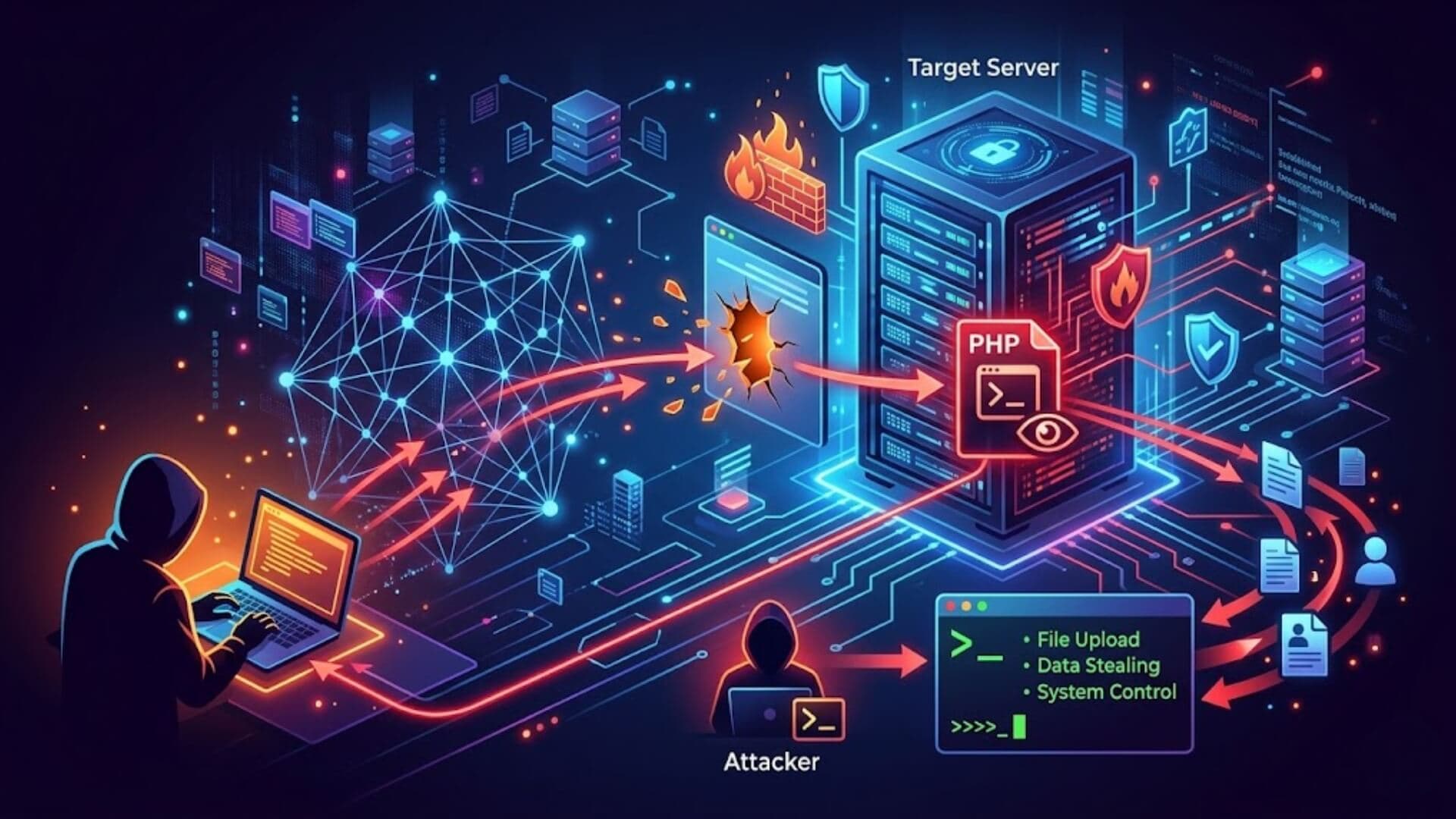
What is a web shell? In short, it's a malicious script that turns your web server into an attacker's remote control panel. Once installed, it hands cybercriminals the ability to browse your file system, run terminal commands, escalate privileges, and pivot deeper into your network, all through a normal-looking web request that bypasses most traditional security tools.
Web shell attacks have been behind some of the most damaging breaches in recent years, from compromised government servers to large-scale data theft at enterprise organizations. Understanding how they work is the first step toward making sure your own infrastructure doesn't become the next target. Let’s find out!
What is a web shell?Link to heading

A web shell is a malicious script that gives cybercriminals persistent, remote control over a compromised web server. Once installed, attackers can execute terminal commands, browse and manipulate the file system, brute-force passwords, and carry out a wide range of other harmful operations. Web shells are typically delivered by exploiting weaknesses in website code or by using brute-force techniques to gain initial access.
Common types of web shellsLink to heading
Web shells are written in several programming languages, each suited to different server environments and vulnerability profiles. The most widely used languages include PHP, Python, Ruby, Perl, ASP, and ASP.NET. Knowing which types exist is essential for building effective detection and defense strategies.
PHP web shellsLink to heading
Because PHP powers a large share of the web, PHP-based web shells are among the most frequently encountered threats. Attackers typically deliver them through insecure file upload forms, then use them to manage files, run system commands, and alter server configurations without authorization.
ASP and ASP.NET web shellsLink to heading
On servers running Microsoft Internet Information Services (IIS), ASP and ASP.NET web shells are the predominant threat. Attackers exploit misconfigured or outdated IIS environments to upload these scripts, which then grant them full remote control over the server. This is one of the clearest examples of how what is a web shell becomes more than a definition and turns into a serious operational risk.
Perl and Python web shellsLink to heading
Less common than their PHP or ASP counterparts, Perl and Python web shells tend to appear in more advanced intrusion scenarios. Their presence on a server is often a strong indicator that the compromise runs deep, as attackers use them primarily for long-term persistence and to avoid detection.
Regardless of language, any of these scripts can function as web shell malware when combined with additional malicious code, and all are capable of enabling a full-scale web shell attack. Security teams must continuously monitor for behavioral anomalies that may signal their presence.
How web shells are installedLink to heading

Attackers use a broad range of vulnerabilities to plant web shells on servers. To fully understand what is a web shell, it also helps to see how these malicious files are delivered in the first place. The most common delivery methods include:
- SQL Injection: Malicious SQL statements are injected into input fields to manipulate the backend database, extract confidential records, or open pathways for further exploitation.
- Server Misconfiguration Abuse: Administrative and control panel features that are poorly configured give attackers a direct entry point without needing to break any code.
- Cross-Site Scripting (XSS): Vulnerable web pages are weaponized to serve malicious scripts to end users. When those scripts execute, they can intercept and corrupt communication between users and the application, sometimes facilitating shell uploads.
- File Upload Vulnerabilities: When a server fails to properly validate uploaded files, an attacker can upload a file containing a web shell and trigger its execution directly on the server.
- Remote Code Execution (RCE): Flaws in the application or underlying server software allow attackers to run arbitrary commands remotely, often used to drop a web shell as a follow-up payload.
- Local and Remote File Inclusion (LFI/RFI): These vulnerabilities arise when a web application processes user-supplied file paths without sufficient validation. LFI allows an attacker to access and execute files already on the local system, while RFI allows malicious files hosted on an external server to be pulled in and executed remotely.
- Third-Party Application Vulnerabilities: Outdated plugins, CMS components, or integrated services with known security flaws serve as indirect entry points for shell deployment.
Once a web shell is successfully installed, attackers can layer on additional capabilities such as traffic encryption to evade detection, or even a user-friendly browser-based interface for easier operation.
From that point forward, the compromised server becomes a fully controlled asset, one that can be used to steal sensitive data, launch secondary attacks against other systems, or simply maintain a hidden, persistent foothold for as long as the intrusion goes undetected.
How web shells workLink to heading
To fully understand what is a web shell, it is important to look at how these attacks operate after a server has been compromised. A web shell attack usually unfolds in several stages. The attacker first establishes a persistent foothold on the target server, then works to expand access privileges, and finally uses that control to either attack the organization directly or exploit its infrastructure for broader malicious operations.

Persistent remote accessLink to heading
The primary function of a web shell is to create a reliable backdoor, a hidden entry point the attacker can return to without needing to exploit a new vulnerability each time. This persistence is what makes web shells particularly dangerous compared to one-off exploits.
Some attackers go as far as patching the very vulnerability they used to gain access, effectively locking out competing threat actors while protecting their own foothold from detection.
To further secure exclusive access, certain web shells incorporate password authentication, ensuring only the original attacker can interact with the shell. Most web shells also employ obfuscation techniques, embedding code designed to prevent search engines from flagging or blacklisting the compromised site, allowing the intrusion to remain invisible for extended periods.
Privilege EscalationLink to heading
Web shells generally start with the same permission level as the web server’s user account, which is often limited. To bypass these restrictions, attackers exploit local system vulnerabilities to elevate their privileges and gain root-level access.
Once attackers achieve root access, their capabilities expand dramatically. They can install or remove software, modify permissions, create new user accounts, intercept emails, and collect stored credentials across the entire environment. This stage highlights another critical aspect of what is a web shell: it is not just a malicious script, but often the starting point for complete server compromise.
Pivoting and launching attacksLink to heading
Once established on a server, attackers use it as a staging point to reach additional targets, both within the internal network and beyond. This technique, known as pivoting, begins with a quiet reconnaissance phase where the attacker sniffs network traffic to map out live hosts, routers, and firewall configurations. This enumeration process can stretch over several weeks, during which the attacker remains deliberately inactive to avoid triggering any alerts.
A patient attacker will move laterally through the network at a measured pace, routing activity through multiple compromised systems to obscure their origin. By chaining together several pivot points, they make forensic tracing extremely difficult, often rendering the true source of an attack practically untraceable.
Bot herdingLink to heading
Web shells can also be used to conscript compromised servers into a botnet, a distributed network of machines operating under the attacker's command. Instructions are relayed from a command-and-control (C2) server through the web shell, directing the infected host to carry out tasks on behalf of the attacker.
This approach is widely used in large-scale Distributed Denial of Service (DDoS) attacks, which demand significant bandwidth that a single machine cannot provide alone. In this scenario, the compromised server is not the ultimate target, it is simply a resource being exploited to amplify attacks against higher-value systems, while the attacker remains shielded behind a layer of unwitting infrastructure.
How are web shells detected?Link to heading

Understanding what is a web shell also means understanding why these threats are so difficult to detect. Attackers often hide web shells inside seemingly harmless files such as images, videos, or audio files that appear legitimate until a browser request triggers their execution.
Because the malicious code may remain dormant for long periods, detecting a web shell before suspicious activity begins can be extremely challenging. Even so, several detection methods have proven effective once abnormal behavior starts to appear.
File and network analysisLink to heading
Because web shells are deployed as files on the server, monitoring file uploads and tracking unexpected changes to the file system is one of the most direct detection approaches available. Security teams that maintain a baseline of normal server file states can flag newly introduced or modified files for investigation.
On the network side, traffic analysis can expose web shell activity through patterns that deviate from normal behavior, such as unusual outbound connections, unexpected external communication, or a high frequency of requests to obscure or rarely accessed server paths.
Log analysisLink to heading
Web server logs are a valuable source of post-intrusion intelligence. A thorough review of access logs can surface the IP addresses used to reach the server, reveal the specific commands the attacker executed, and expose the sequence of actions taken during the compromise.
Beyond identifying what happened, log data helps security analysts reconstruct the attacker's tactics, techniques, and procedures (TTPs), providing critical context for both containment and future prevention.
Automated content analysisLink to heading
Automated scanning systems can inspect the contents of newly uploaded or recently modified files, comparing them against a library of known web shell signatures. This approach is effective when dealing with recognized shell variants, but falls short against custom-built or heavily modified shells that do not match any existing signature in the database.
Pattern matchingLink to heading
Pattern matching involves scanning server files for code fragments that resemble structures commonly found in known web shells. While straightforward in concept, this technique has significant limitations in practice. Experienced attackers are well aware it exists and routinely counter it by writing complex, obfuscated code that bears no resemblance to established patterns, rendering signature-based matching unreliable on its own.
Endpoint Detection and Response (EDR)Link to heading
Web shells inevitably cause changes in how a server behaves. Endpoint Detection and Response (EDR) solutions are designed to identify these abnormal behaviors by monitoring process activity, system calls, and unusual execution chains.
For example, if a web server process suddenly launches command-line tools or creates suspicious child processes, EDR systems can flag the activity for investigation. This behavioral approach has become increasingly important because it focuses on attacker actions rather than just file signatures.
For security teams trying to understand what is a web shell in practical terms, EDR demonstrates how modern defense strategies increasingly rely on behavior analysis instead of static detection alone.
Web shell protectionLink to heading

Defending against web shell attacks requires a layered security approach. The following strategies represent the most effective measures organizations can implement to reduce their exposure.
File integrity monitoringLink to heading
File integrity monitoring (FIM) solutions actively guard web-accessible directories by detecting unauthorized file changes the moment they occur. When a change is registered, the FIM tool immediately alerts administrators and security personnel, enabling rapid response before an attacker can establish deeper control.
Because FIM operates in real time, triggering at the point a file is written to a directory, security teams can identify and eliminate web shells before they are ever executed.
FIM solutions can also be configured with granular rules that permit certain file types while rejecting others. For an application that exclusively handles PDF documents, for instance, the FIM policy can be set to reject any uploaded file that does not carry a .pdf extension, effectively neutralizing a common shell delivery method before it reaches the server.
Web application permissionsLink to heading
Applying the principle of least privilege to web application permissions is one of the simplest yet most impactful defenses available. This principle means every user and process should have only the minimum access needed to perform its function, and nothing more. That way, even if an account is compromised, the damage it can cause is severely limited.
In the context of what is a web shell, least privilege means configuring web applications so they cannot directly write files to web-accessible directories or modify executable code on the server. When write permissions are restricted, an attacker who gains application-level access is blocked from uploading a shell to a directory the web server can reach, which removes one of the most common installation paths.
Intrusion prevention systems and web application firewallsLink to heading
An intrusion prevention system (IPS) monitors live network traffic and intervenes when it identifies patterns consistent with known attack behavior. A web application firewall (WAF) operates at the application layer, filtering and blocking malicious HTTP requests flowing in and out of web-facing services.
Used in isolation, each technology addresses a portion of the threat surface. Deployed together, they form a complementary defense, the IPS monitors broad network-level anomalies while the WAF enforces granular rules against web-specific attack patterns, including malicious file uploads.
For maximum effectiveness, both solutions should be tuned to the specific traffic patterns and operational needs of the organization rather than relying solely on generic default rule sets.
>>> Do you want a firewall solution built specifically for WordPress instead of using generic security tools? W7SFW is purpose-built to protect WordPress websites more effectively.
Network segmentationLink to heading

Network segmentation divides infrastructure into isolated subnetworks, each with its own security boundary and restricted communication paths. This architecture directly limits how far a web shell can spread after it has been installed, containing the threat to the segment where it first appeared.
At a basic level, isolating a demilitarized zone (DMZ) keeps internet-facing servers separate from the internal network, reducing an attacker’s ability to pivot inward. More advanced approaches, such as software-defined networking (SDN), support a zero-trust architecture, where every communication between network nodes must be explicitly verified before it is allowed.
Under zero trust, even if a web shell successfully compromises an external server, the attacker is blocked from moving laterally deeper into the environment. For anyone asking what is a web shell and why it is so dangerous, this containment strategy shows how one infected system can become a much bigger problem if the network is not properly segmented.
Endpoint Detection and Response (EDR)Link to heading
Endpoint detection and response (EDR) solutions, combined with comprehensive host-level logging, provide behavioral visibility that is difficult to achieve through perimeter defenses alone. These tools monitor system calls, track process lineage, and apply behavioral analysis to identify activity patterns consistent with web shell execution, even when the shell itself is obfuscated or unknown to signature-based scanners.
EDR platforms with dedicated web shell detection capabilities track every process spawned by the web server. When a shell triggers behavior that falls outside the server's normal operating baseline, the solution flags it immediately.
A practical example is the unexpected invocation of the ipconfig utility from within a web server process, a reconnaissance technique commonly triggered by web shells that has no legitimate place in normal server activity. Behavioral analysis catches these anomalies precisely because it focuses on what the process is doing, not just what file it came from.
ConclusionLink to heading
Understanding what is a web shell is matters because these threats are built to stay hidden for as long as possible. In many cases, attackers do not need advanced techniques to compromise a server. A single weakness, such as an unpatched plugin, weak permission setting, or insecure file upload path, can be enough to create a long-term foothold.
The good news is that reducing the risk is entirely possible with the right security practices in place. Staying proactive, monitoring unusual behavior, and addressing vulnerabilities early can make the difference between a secure server and a compromised one.